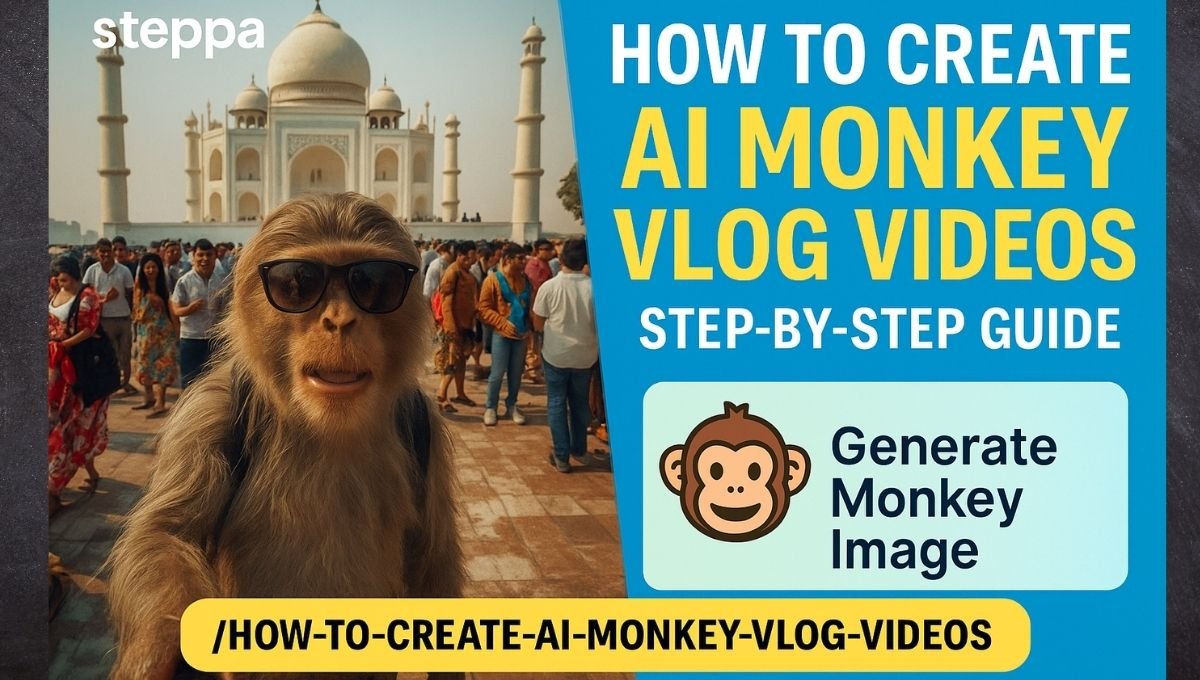
Want to know how to create AI Monkey Vlog videos that are fun, engaging, and attention-grabbing? With today’s AI tools, it’s easier than ever! Follow this step-by-step guide on Steppa to generate monkey visuals, script scenes, animate, and sync voices — all using smart, creative technology.
🔹 Step 1: Generate Monkey Image Using AI Prompt
First, create a monkey character that suits your vlog’s theme or story.
Example Image Prompt
“Generate an image of a realistic monkey doing vloging at tajmahal india.
Monkey with bagpack, wearing sunglass, holding selfie stick, as doing vlog…many people in background at tajmahal.”
You can also personalize:
- Add props (banana, phone, backpack)
- Change backgrounds (city, beach, forest)
- Style it (realistic, 3D, anime, etc.)
Recommended Image Generation Tools
Use any of these free/paid tools:
- Lexica Art – Easy, prompt-based image generation
- Leonardo AI – Great for stylized or animated characters
- Mage.Space – Simple and fast text-to-image creation
- Playground AI – Ideal for custom scenes
🔹 Step 2: Write Script & Scene with ChatGPT
Now, give your monkey a voice! Use ChatGPT to write short, fun vlog scripts.
Script Prompt for ChatGPT
“Write a 30-second script of a monkey vlogging his jungle adventure in a funny tone.”
Include expressions, sound effects, and gestures.
💬 Example Script:
“Hey guys! It’s me, Max the Monkey! Today I found a banana cave! No kidding. Let’s explore!”
Use ChatGPT App:
🔹 Step 3: Animate Images with Google AI Studio (NEO)
Turn your monkey image into a moving animated character using Google AI Studio Neo.
Add head movements, expressions, and simple gestures with AI.
NEO Link
Upload your image and assign basic animation using the interface.
🔹 Step 4: Sync Voice with Script using Face Animation Tools
Now give your monkey a voice that syncs perfectly with the script.
🧰 Use These Tools:
- FaceDream App – Create lip-synced videos easily
- Hedra AI – Ideal for face animation with audio syncing
Steps:
- Upload your animated monkey face
- Add your script as text or voice
- Generate the final talking video
You can record your voice or use an AI voice generator.
🔹 Final Step: Compile and Share
Put everything together in any video editor like CapCut, InShot, or VN.
Add:
- Music
- Transitions
- Background sounds
Then export and upload your AI Monkey Vlog to YouTube Shorts, Instagram, or TikTok!
Final Words
Creating AI Monkey Vlog videos is fun, creative, and totally beginner-friendly. You just need the right tools and ideas.
From generating a monkey image to syncing its voice, each step is easy with AI.
So go ahead — start your monkey vlog series today!